Which No-Neutral Smart Dimmer Should You Buy in 2026? 6 Retrofits
As an Amazon Associate I earn from qualifying purchases. When you click a product link on Repack Mechanics and buy something on Amazon, Amazon pays us a small commission; the price you pay is the same.
Nine listings compared, six ranked: the Leviton Decora Smart No-Neutral kit leads this smart dimmer switch no neutral wire shortlist.
Top pick: the Leviton DNKIT-1RW. It is mid-range, ships with the bridge, and dims LEDs to 300W with no neutral in the box. The catch is that bridge, which takes an outlet.
Three more notes before the list. Only three of the six picks are truly smart dimmers. Two are non-smart dimmers that happen to need no neutral, which is the budget route. One is a Wi-Fi switch that does not dim at all. We cut the listings that either need a neutral or are plain on/off with no clear advantage.
Every pick below states its load limit, its hub need and one real drawback. Check your bulb wattage and your wallbox wiring first; those two facts decide most of this.
What we cover
- Check price
- Best for Existing Leviton SetupsLeviton DN6HD no-neutral dimmer (dimmer only)Bridge required · No neutral · SmartThingsCheck price
- Check price

How we picked
No product was handled by us. The ranking rests on the nine listings and their spec fields, mainly load ratings, hub needs, neutral requirements and control platforms.
Reference points: the NFPA’s National Electrical Code (NFPA 70) for residential wiring, Intertek for what ETL listing means, and UL Solutions for UL certification. Stat strip: 9 listings compared | 0 owner-report themes available | spec fields checked per listing, 10 to 14. Price bands were weighed against features: budget dimmers lack smarts; mid-range ones add a bridge or sensor.
Editorial responsibility: Repack Mechanics.
Specs at a glance
The list shows each pick’s best-for tag, operation mode, contact type and price band. Operation mode and contact type are listing fields and vary in quality between brands.
The spec that matters most is not in the columns: the load rating in watts. Compare it to your bulbs before anything else.
| # | Product | Why it stands out | |
|---|---|---|---|
| 1 | Older homes that want Alexa, Google or HomeKit dimming without a neutral | Check price | |
| 2 |  Leviton No-Neutral Decora Smart Dimmer Switch, DN6HD-1RW,…Best for Existing Leviton Setups | Adding a second or third dimmer to a Leviton bridge you already own | Check price |
| 3 |  GE CYNC Smart Dimmer Light Switch & Motion Sensor, White,…Best No-Hub Option | Hallways and utility rooms where motion switching beats an app | Check price |
| 4 |  MOES Dimmer Light Switch, No Neutral Wire, 3-Way & Single…Best Budget Dimmer | Cheap swaps of a basic dimmer where no neutral exists | Check price |
| 5 |  ELEGRP LEDPro™ Multi-Location Dimmer, EDM25BM Master…Best for LED Multi-Location | 3-way or 4-way staircases with a few LED bulbs | Check price |
| 6 |  MOES WiFi Smart Light Switches, No Neutral Needed,…Cheapest Smart Entry | Scheduling two lights on and off in a no-neutral box | Check price |
Pick by pick
Leviton Decora Smart No-Neutral kit (DNKIT-1RW)

Why we picked it: The kit puts the DN6HD dimmer and the required MLWSB bridge in one box. For an older home with no neutral, it is the cleanest path to a smart dimmer that works with Alexa, Google and Apple Home.
Needs a plug-in bridge. That is the main catch.
The DN6HD handles line, load and ground only, so it fits boxes with no neutral. Smart features run through the MLWSB bridge, which plugs into an outlet and must stay powered. The listing rates the dimmer at 300W for dimmable LED and CFL, and 600W for incandescent and MLV. Eight LED bulbs at 9W each is 72W, so most rooms sit well inside that. Heavy LED banks still need a sum before you buy.
The My Leviton app sets preset levels, fade rates and bulb type. Wire-free 3-way works with the optional DAWDC or DAWSC companions, which cost extra. The listing is a dimmer with a Wi-Fi bridge. Plan the bridge’s outlet location before you pull the old switch.
Owner feedback patterns
The listing carries no aggregated owner-report themes, so there is no buyer pattern to cite here. Judge it on the stated load ratings, the bridge requirement and the voice platforms the maker lists.
Who it’s for: Older homes that want Alexa, Google or HomeKit dimming without a neutral. Skip it if: You will not give up an outlet for the plug-in bridge. Use case: Smart dimming in no-neutral boxes
Leviton DN6HD no-neutral dimmer (dimmer only)

Why we picked it: Same dimmer as the kit, sold without the bridge. It makes sense when a MLWSB bridge is already on your network.
The dimmer does nothing smart alone. The listing says it requires the MLWSB bridge, sold separately.
Specs match the kit: line, load and ground wiring, full-range dimming, preset levels, fade rates and bulb-type settings in the My Leviton app. The listing also names SmartThings and Sonos alongside Alexa, Google and Apple Home. Wire-free 3-way uses the DAWDC or DAWSC companions. Buy a second DN6HD for another room and one bridge covers it, assuming the maker’s device limits allow; check them.
Buying a bridge separately usually erases the saving over the kit. The listing’s dimension and temperature fields are inconsistent, so read the box label before you fit it in a crowded wallbox.
Owner feedback patterns
The listing carries no aggregated owner-report themes. The practical pattern to expect from the specs is that the bridge dependency is the main surprise for first-time buyers.
Who it’s for: Adding a second or third dimmer to a Leviton bridge you already own. Skip it if: You do not already own an MLWSB bridge. Use case: Expanding an existing Leviton setup
GE Cync dimmer with motion sensor

Why we picked it: Wi-Fi dimmer with motion and ambient-light sensing, no hub, no neutral. It suits a hallway or closet that should switch itself.
No bridge. Ground wire required.
The Cync works on 2.4 GHz Wi-Fi only, takes line, load and ground, and controls from the switch or the Cync app. Alexa and Google voice control need a separate speaker. The motion and ambient sensor can switch lights by occupancy or daylight, which saves energy in low-use rooms.
The trade-offs are real. The listing rates current at 1.25 A, a low figure that points to a small LED load, so a large fixture needs checking against the maker’s chart. It also warns that homes built before the 1980s should check bulb compatibility first. A motion sensor in a bedroom may switch lights you want off. The listing mentions Alexa as its controller type, with Google in the feature text; confirm HomeKit is absent if you use Apple.
Owner feedback patterns
The listing carries no aggregated owner-report themes. Bulb compatibility is the one caution the maker itself raises, so treat it as the main thing to verify.
Who it’s for: Hallways and utility rooms where motion switching beats an app. Skip it if: You want a plain dimmer with no sensor and a heavier load rating. Use case: Hub-free dimming with motion sensing
MOES 600W no-neutral dimmer (non-smart)
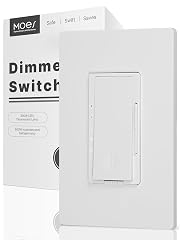
Why we picked it: A budget push-button dimmer for no-neutral boxes, with 600W incandescent and 300W LED limits. It does no apps or voice.
Not smart. It is a plain digital dimmer.
The listing gives 600W for incandescent and halogen, 300W for dimmable LED and CFL, at 120V and ETL listed. Two buttons step through 5 brightness levels or dim continuously on a long press. A fade-on function eases the lights up. It works in single-pole and 3-way circuits, with a hard rule: use only one dimmer in a 3-way run.
The listing says it is not for fans and not for smart fixtures. The listing advises using only one dimmer in a 3-way circuit. A long press of the reset button for 3 seconds restores defaults. Pick this to replace a worn dimmer in a budget job, not to join a smart home.
Owner feedback patterns
The listing carries no aggregated owner-report themes. The maker’s own limits on fans, smart fixtures and one-dimmer-per-3-way are the caveats to plan around.
Who it’s for: Cheap swaps of a basic dimmer where no neutral exists. Skip it if: You need any smart-home control at all. Use case: Plain dimming in a budget retrofit
ELEGRP EDM25BM LEDPro master dimmer

Why we picked it: Non-smart LED dimmer that needs no neutral and pairs with EDM25BC companions for 3-way and 4-way runs. Its LED load cap is low.
Low LED ceiling: 150W.
The listing rates dimmable LED and CFL to 150W and incandescent or halogen to 300W, half the MOES figure for LED. Its draw is multi-location control: for 4-way circuits it needs two EDM25BC companions, and for 3-way a companion or a standard switch. It remembers the last brightness on tap and has a fade-on function to reduce inrush current.
The listing says install can take as little as 15 minutes, and covers a 2-year warranty and a 30-day money-back window, plus ETL listing. The listing states plainly it does not connect to smart devices. Its spec fields list a 2.5 A rating, which is unusual; match your bulb wattage against the 150W figure, not the amps.
Owner feedback patterns
The listing carries no aggregated owner-report themes. The main limit to weigh is the 150W LED cap against your bulb count.
Who it’s for: 3-way or 4-way staircases with a few LED bulbs. Skip it if: You want Wi-Fi or voice control. Use case: Multi-location LED dimming without a neutral
MOES Wi-Fi switch (on/off, capacitor included)

Why we picked it: A Wi-Fi switch that works without a neutral by using the included capacitor. It does not dim.
No dimming. The listing says so plainly.
This is a double switch controlling two fixtures from one gang space, on 2.4 GHz Wi-Fi with no hub. It works with the MOES or Tuya app, Alexa and a phone. With no neutral, the capacitor is mandatory, and it is in the box. The listing says both neutral and no-neutral wiring are supported.
The trade-off is the capacitor: it adds bulk in the wallbox and the listing describes a shallow body, not a deep one. Its 2-way circuit type suggests single-pole use. It is a poor match for a search that is really about dimming. Buy it only for scheduled on/off control on a tight budget.
Owner feedback patterns
The listing carries no aggregated owner-report themes. The capacitor requirement and the lack of dimming are the facts that decide the purchase.
Who it’s for: Scheduling two lights on and off in a no-neutral box. Skip it if: Your plan is to dim LEDs from the wall or app. Use case: Cheap smart on/off with no neutral
How to choose Smart Dimmer Switch No Neutral Wire
Six checks before you buy
- Wires in the box. You need line, load and ground. No ground, no install on most of these.
- Load in watts. Add up all LED bulbs. Caps run 150W to 300W for LED.
- Bridge or no bridge. Leviton needs a plug-in bridge; Cync and MOES Wi-Fi list none.
- Smart or not. Non-smart dimmers cost less and skip apps and voice entirely.
- Bulb compatibility. Dimmable LED only, and some older homes need bulb checks per the Cync listing.
- 3-way plan. Wire-free companions (Leviton) or one dimmer per run (MOES).
- Wi-Fi band. Cync and MOES need 2.4 GHz.
Care, upkeep and what to watch over time
Keeping a no-neutral dimmer happy
No-neutral dimmers leak a small current through the load to power themselves. With very light LED loads this can cause flicker or faint glow, so a minimum load matters. Check the maker’s chart.
- Switch off the breaker before wiring, and confirm with a tester.
- Do not overfill the wallbox; the capacitor on the MOES Wi-Fi switch takes space.
- Keep the Leviton bridge plugged in, since the dimmer’s smart features depend on it.
- Do not exceed load caps; the ELEGRP EDM25BM is 150W for LED.
- Wipe with a dry cloth. No sprays.
Listings carry no owner-report failure themes, so there is no verified long-term pattern here. Warranty is the one stated data point: ELEGRP lists 2 years on the EDM25BM. Ask the others before assuming cover.
Also considered, and why not
- Leviton Decora Smart No-Neutral Switch (DN15S): On/off only, not a dimmer, and it needs the separate MLWSB bridge.
- ELEGRP Smart Dimmer DPR30 (2 pack): The listing states a neutral wire is required, so it fails the core test.
- Lsliangmei Smart Wi-Fi Touch Switch (RF433): A touch on/off panel with inconsistent listing details (1-gang title, 2-gang text) and no dimming.
Deciding between them
Is the Leviton kit worth it over the dimmer alone?
Yes for a first install. The DNKIT-1RW includes the DN6HD dimmer and the MLWSB bridge, and the dimmer alone does nothing smart without that bridge. Buy the standalone DN6HD only when a bridge is already plugged in and you want a second room.
How many watts of LED can these dimmers handle?
Listed limits differ: Leviton DN6HD is rated 300W for dimmable LED and CFL, the MOES dimmer also 300W, and the ELEGRP EDM25BM only 150W. Add up your bulb wattages. Ten 9W bulbs is 90W, fine on all three.
Do I need a hub for a no-neutral smart dimmer?
It depends on the brand. Leviton needs its MLWSB Wi-Fi bridge, which plugs into an outlet. The GE Cync and MOES Wi-Fi switch list no hub required. All Wi-Fi options here work on 2.4 GHz only, so check your router before buying.
Is a non-smart no-neutral dimmer a sensible budget choice?
Yes, if you want no apps. The MOES 600W and ELEGRP EDM25BM both skip the neutral and are ETL listed per their listings. They give you 5-level or tap-memory dimming but no voice control. The EDM25BM adds a 2-year warranty.
Should I check wiring before buying?
Always. Switch off the breaker and confirm line, load and ground in the box. The NFPA’s National Electrical Code (NFPA 70) governs residential wiring. If you are unsure, hire a licensed electrician; a 15-minute swap is not worth a wiring fault.
The bottom line
Buy the Leviton DNKIT-1RW if you have a no-neutral wallbox, a spare outlet and a smart home. Pick the Cync when you want motion switching with no bridge. Pick a MOES or ELEGRP non-smart dimmer when you only want smooth dimming on a budget.
Skip the whole category if your box has a neutral: a standard smart dimmer costs less and has fewer limits.
What changed
- Published guide
- Guide drafted